 Monstrous Compendium Vol. 1: Spelljammer Creatures
 Frozen Sick
 D&D Beyond Basic Rules
 Basic Rules (2014)
Sign in to view your library & saved favorites.
Sign in- Marketplace
Monstrous Compendium Vol. 1: Spelljammer CreaturesFrozen SickD&D Beyond Basic RulesBasic Rules (2014)Sign in to view your library & saved favorites.
Sign in
-
View User Profile
-
View Posts
-
Send Message
D&D Beyond StaffWelcome to the Support Thread for Northlands Sagas!
If you find any issues with the content from the sourcebook, or using it on a D&D Beyond character, please search the thread (Search forum) before posting in this thread.
RELEASE NOTES
Northlands Sagas brings players an 11-part campaign set in the frozen heart of a Norse-inspired setting.
Syncing Entitlements
If you don’t see any of the content from the source, please be sure to resync your entitlements. You can do so by following these steps:
Once completed, your content should appear! If you experience any issues accessing your content please contact our Support Team.
ENABLING CONTENT FOR YOUR CHARACTER
To use content from Northlands Sagas in the character builder, you will need to set the character preferences to include Kobold Press source category (see the .gif below).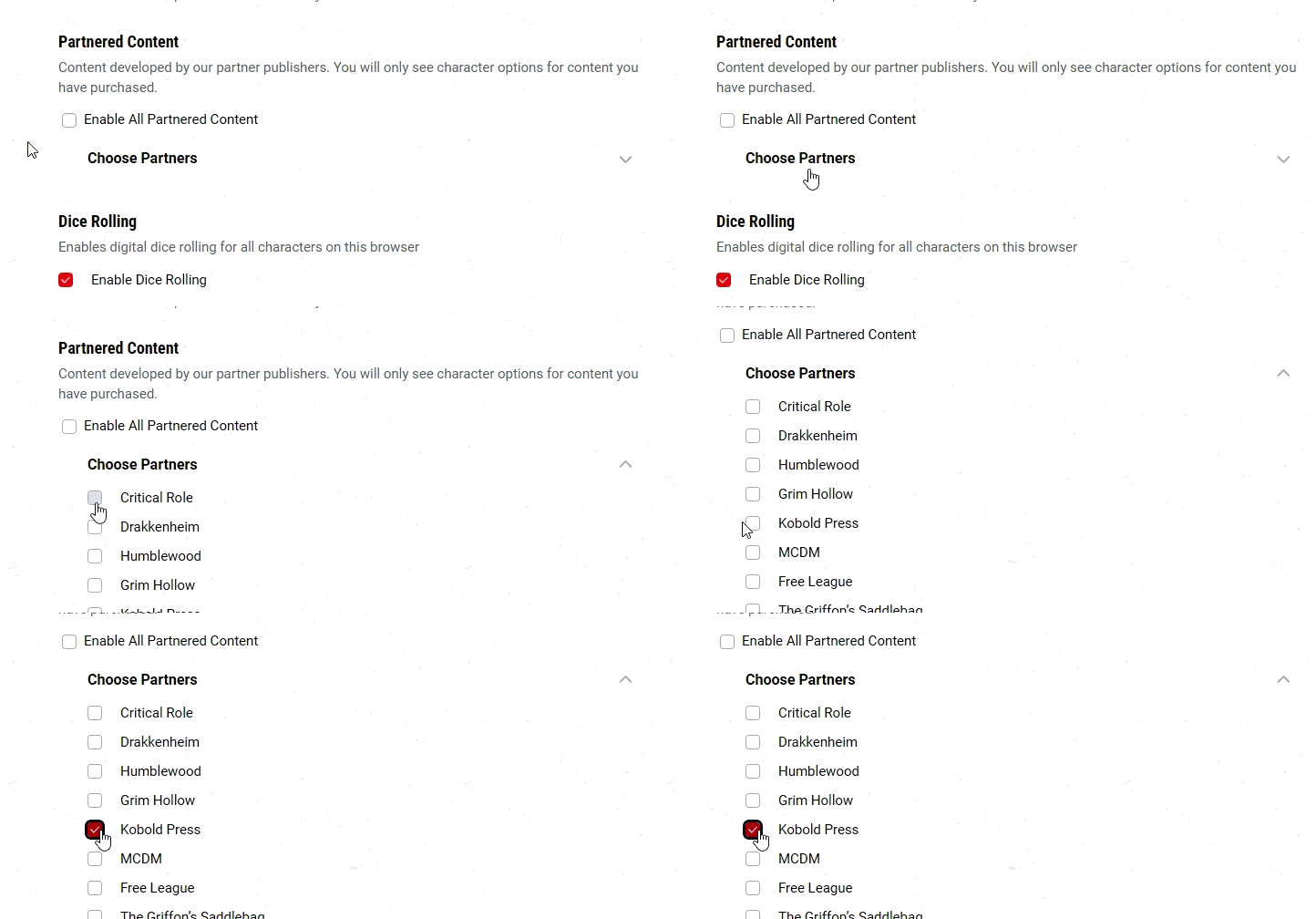
4 MAGIC ITEMS
There are 4 new magic items. These are supported.
4 MONSTERS
This book introduces 4 new monsters/NPCs. These are fully supported.
1 VEHICLE
This book introduces 1 new water vehicle, which is only supported as a mundane item.
MAPS
This book features 27 new maps. These are available on the VTT, with additional Quickplay capabilities for specific encounter maps.
RUNESTONES
Runestones in Northlands Sagas grant powers and abilities that improve as the adventure progresses. Each Runestone aligns to one of the gods of the Northlands; at certain points in the campaign, the PCs’ actions can cause their Runestones to improve in power. Runestones can be added to a character’s sheet by enabling Optional Features and clicking the Optional Feature Manager tab on the Class page in the Character Builder.
Because of DDB’s system limitations, Runestones are generally text-only additions to player sheets. Players have the option to select any Runestone of any level at any time; this is intentional, and meant to allow players to select the next step of their current Runestone or switch Runestone with ease, since we cannot level-gate each step of the feature. Additionally, the previous Runestone power level’s information will be added to the next level’s description, compounding as players level up so that they can reference each step. This means that any proficiencies selected in a previous step will need to be re-selected when the next power level is achieved.
I seem to be having trouble with a lot of the maps from the Northlands Sagas. Specifically the following maps from Ashes of Asgard:
Volund's Forge
Idun's Farmhouse
Final Battle
Vanir Longhouse
Meadery
The other maps from this adventure seem to work fine, but these 5 seem to be broken. My account entitlements are in sync.
(Temporary work around is to save the images from the source book and upload them individually. )
-
View User Profile
-
View Posts
-
Send Message
ModeratorBroken how?
Need help with D&D Beyond? Come ask in the official D&D server on Discord: https://discord.gg/dnd
So when I select the map from the Northlands Sagas in Maps VTT and add it to my campaign, when I go to the map browser and select that map, I get the error message: