




Today, Journals in D&D Beyond's Maps VTT reaches the final phase of its initial release with collaborative player editing. Players can now edit existing entries in the Player Journal, add detail after the fact, clean up mistakes, and keep a shared campaign record up to date together.
New to Journals? Read on to catch up on what you missed!
At a Glance: What's New with Journals?
Collaborative Player Editing
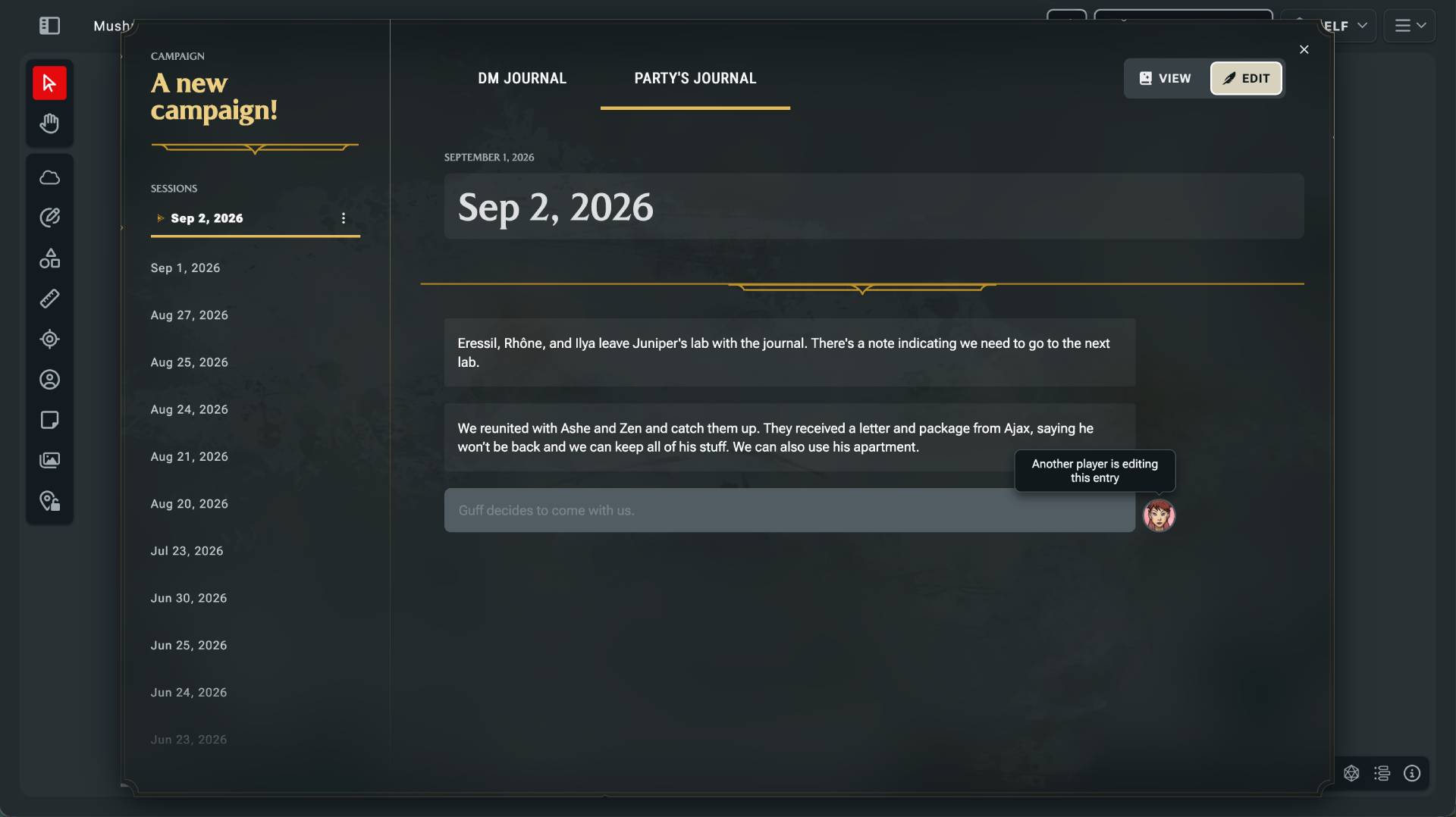
Multiple players can now edit entries in the Player Journal, and an entry locks while someone's actively editing it, so no one's work gets overwritten.
A Shared Record
The Player Journal lets the whole group keep track of notes together instead of leaving it all to the DM or one note-taker.
Quick Notes During Play
Press J in Maps to jot a quick note without breaking the flow of the game, or write longer entries directly in the Campaign Journal.
Why Journals?
A campaign is full of little details worth keeping. The innkeeper nobody trusted. The deal with the hag. The strange name written in the margin of a stolen letter. Journals on D&D Beyond gives those moments a place to live before they disappear into the fog between sessions.
We released Journals in stages throughout the summer, starting with a simple idea: Make it easy to write something down while you’re already playing. Press J in Maps, write a quick note, and get back to the game.
Never Forget What Happened Last Time
With this release, Journals now has:
- A private DM Journal and a shared collaborative Player Journal
- Formatting, including headers, lists, colors, emphasis, and links
- Write quick entries without interrupting the flow of the game, or longer entries written directly in the Campaign Journal
- Automatic map-name headers for DM entries, so notes keep useful context
- Access to the Player Journal even outside your session when the DM doesn’t have Maps open
That shared Player Journal is a big part of the feature. It means one person doesn’t have to carry the entire responsibility of remembering the adventure. Everyone can write down the clue they noticed, the plan the party made, or the exact wording of the prophecy before it turns into an argument next session.
... You are all helping take notes and not leaving it all to one person, right? Right???
How Player Editing Works
Today’s release of Player Editing also means that if two players are editing the same journal entry at the same time, they can’t accidentally overwrite each other’s work when the other player saves. When someone is editing an entry, it locks for everyone else until they’re done. You can see that the entry is being edited, move to another note, and come back when it’s available.
Get Out There and Take Some Notes!
Journals has always been about keeping the game moving. Quick Jot captures the moment. Editing lets you clean it up later. The Player Journal gives the group a shared record. Collaborative editing is the final piece.
Whether you’re preparing the next session, trying to remember what happened three weeks ago, or settling the question of whether the party really promised a dragon a favor, Journals is ready to help you keep the story intact
-
View User Profile
-
Send Message
Posted Sep 2, 2026I have been waiting for this. Thanks.
-
View User Profile
-
Send Message
Posted Sep 2, 2026Why is this in maps and not another tab like party inventory on the existing notes page?
-
View User Profile
-
Send Message
Posted Sep 2, 2026Oh, this is really cool! I like it!